Beginning with How to Use Adobe Photoshop: 15 Essential Photoshop Tools and Techniques, the narrative unfolds in a compelling and distinctive manner, drawing readers into a story that promises to be both engaging and uniquely memorable.
This guide dives into the essential tools and techniques of Adobe Photoshop, offering a comprehensive overview for beginners and experienced users alike.
Introduction to Adobe Photoshop
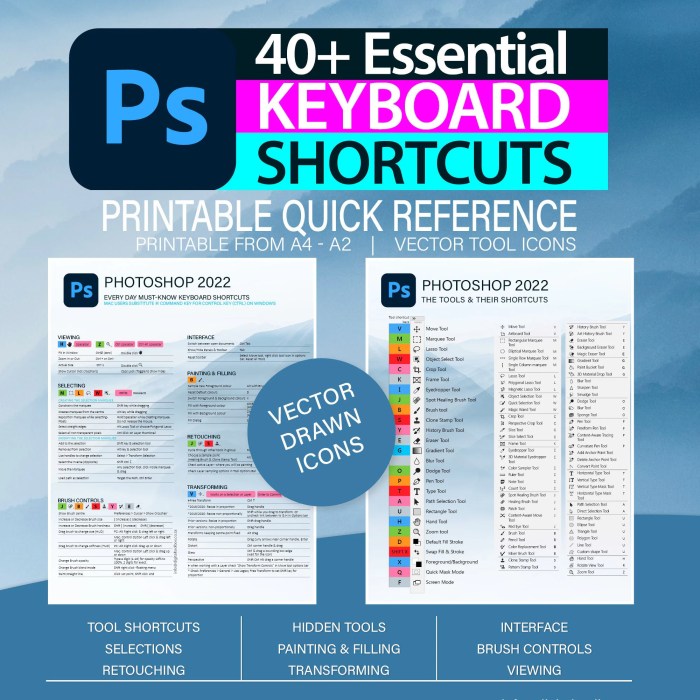
Adobe Photoshop is a powerful software used for editing and creating images. It offers a wide range of tools and features that allow users to manipulate and enhance photos in various ways.
Learning essential tools and techniques in Photoshop is crucial for anyone looking to work in the design industry or improve their skills as a graphic designer. These tools and techniques help users to create stunning visuals, edit photos professionally, and bring their creative ideas to life.
Popularity and Widespread Use of Adobe Photoshop
Adobe Photoshop has become the industry standard in the design world due to its versatility and powerful capabilities. It is widely used by graphic designers, photographers, web developers, and other professionals in the creative field.
- Photoshop allows users to retouch photos, create digital artwork, design web graphics, and so much more.
- Its popularity can be attributed to its user-friendly interface, extensive range of tools, and constant updates that keep up with the latest design trends.
- Proficiency in Photoshop is often a requirement for many design-related jobs, making it an essential skill for anyone pursuing a career in the creative industry.
Essential Photoshop Tools

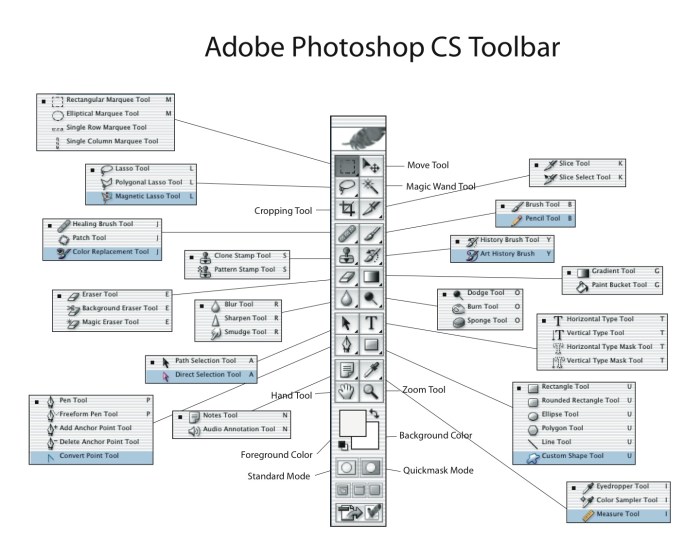
Adobe Photoshop offers a wide array of tools that are essential for creating stunning designs and editing images. Understanding the purpose and functionality of these tools is crucial for mastering Photoshop.
Marquee Tool
The Marquee tool is used for making selections in rectangular or elliptical shapes. It is handy for cropping images, selecting specific areas for editing, or creating geometric shapes.
Lasso Tool
The Lasso tool allows you to make freehand selections around objects in an image. This tool is great for selecting irregular shapes or objects with intricate details for editing.
Brush Tool
The Brush tool is one of the most versatile tools in Photoshop. It allows you to paint, draw, and erase with different brush sizes, shapes, and opacities. This tool is essential for retouching images, adding artistic effects, or creating digital paintings.
Techniques for Using Adobe Photoshop
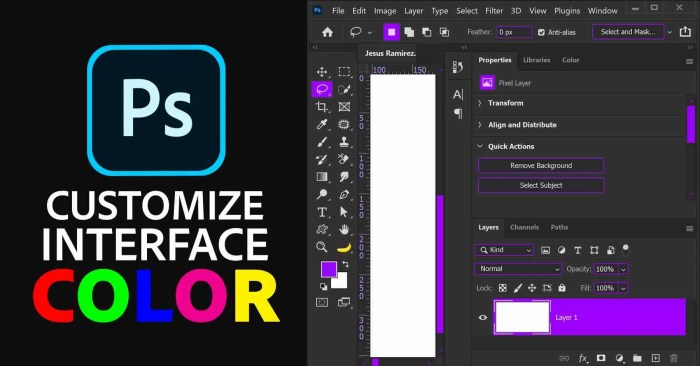
Adobe Photoshop offers a wide range of powerful techniques that can elevate your design projects and enhance your images. Understanding key techniques like layers, masking, and blending modes is essential for creating professional-looking designs.
One crucial concept to grasp is non-destructive editing, which allows you to make changes to your images without altering the original image data. This is significant in design workflows as it enables you to experiment freely and make adjustments without fear of losing important image information.
Layers in Photoshop
- Layers are fundamental in Photoshop and allow you to work on different parts of an image separately.
- By organizing elements into layers, you can easily edit, move, or hide specific parts of your design.
- Utilize blending modes to control how layers interact with each other and create various effects.
Masking Techniques
- Layer masks enable you to selectively hide or reveal parts of a layer without permanently erasing any pixels.
- Use masking techniques to blend images seamlessly, create intricate designs, or apply adjustments to specific areas.
- Mastering masking is essential for creating complex compositions and achieving seamless edits in Photoshop.
Blending Modes
- Blending modes determine how pixels on one layer interact with pixels on underlying layers.
- Experiment with different blending modes to create unique color effects, enhance contrast, or add texture to your designs.
- Understanding blending modes opens up endless creative possibilities in Photoshop.
Last Word
In conclusion, mastering these 15 essential tools and techniques in Adobe Photoshop can elevate your design skills and open up a world of creative possibilities. Explore, experiment, and unleash your artistic vision with confidence.