Embark on your video editing journey with How to Edit Videos: 8 Video Editing Tips for Beginners, where you’ll discover essential techniques to level up your editing game.
Unleash your creativity and storytelling prowess as we delve into the intricacies of video editing software, basic techniques, and more.
Introduction to Video Editing
Video editing is the process of manipulating and rearranging video shots to create a new and improved video. It involves adding effects, transitions, sound, and other elements to enhance the overall quality of the video.
Video editing is crucial in creating engaging content as it allows creators to tell a compelling story through visuals. By cutting, trimming, and arranging footage, editors can control the pace and flow of the video, keeping viewers interested and entertained.
Furthermore, video editing enhances storytelling in videos by helping creators convey their message effectively. Through the use of visual and audio elements, editors can evoke emotions, set the mood, and highlight key points, making the video more impactful and memorable.
Video Editing Software and Tools
When it comes to video editing, having the right software and tools can make a huge difference in the quality of your final product. Here, we will explore some popular video editing software options for beginners and compare their features to help you choose the best tool for your editing needs.
Popular Video Editing Software for Beginners
- Adobe Premiere Pro: Known for its professional-level features, Adobe Premiere Pro is a popular choice among both beginners and seasoned editors. It offers a wide range of editing tools, effects, and support for various file formats.
- iMovie: If you’re using a Mac device, iMovie is a great option for beginners. It’s user-friendly interface and basic editing features make it easy to create polished videos without a steep learning curve.
- Final Cut Pro: Another Mac-exclusive software, Final Cut Pro is more advanced than iMovie and offers a wide range of professional editing features. It’s a great choice for those looking to take their editing skills to the next level.
Comparing Features of Different Video Editing Tools
- Adobe Premiere Pro vs. iMovie: While Adobe Premiere Pro offers more advanced features and flexibility, iMovie is a great starting point for beginners due to its simplicity and ease of use.
- iMovie vs. Final Cut Pro: Final Cut Pro is more advanced and feature-rich compared to iMovie, making it a better choice for users looking for more control over their editing process and access to professional-grade tools.
- Adobe Premiere Pro vs. Final Cut Pro: Both Adobe Premiere Pro and Final Cut Pro are powerful editing tools used by professionals in the industry. The choice between the two often comes down to personal preference and the operating system you are using.
Benefits of Using Specific Tools for Different Editing Needs
Using Adobe Premiere Pro can give you access to a wide range of professional editing features and tools, making it ideal for those looking to create high-quality videos with advanced effects and transitions.
iMovie, on the other hand, is perfect for beginners who are just starting with video editing. Its user-friendly interface and basic editing tools make it easy to learn the ropes without feeling overwhelmed.
Final Cut Pro is a great choice for intermediate users who want more control over their editing process and access to advanced features like multi-cam editing and 360-degree video editing.
Basic Video Editing Techniques
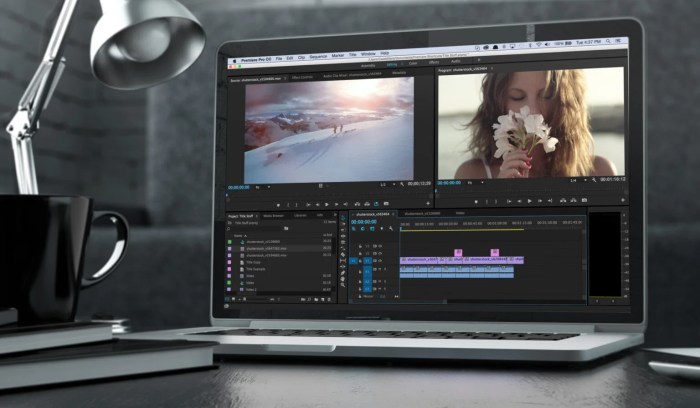
Mastering basic video editing techniques is essential for creating professional-looking videos. Here are some fundamental skills every beginner should learn:
Trimming and Cutting Clips
- Trimming and cutting clips is crucial to remove unwanted footage and create a seamless flow in your video.
- Use the trimming tool to cut out unnecessary parts of a clip and keep only the essential content.
- Ensure smooth transitions between clips by trimming them accurately at the right points.
Adding Transitions Between Video Clips
- Transitions help to connect different clips smoothly and make your video more engaging.
- Choose from a variety of transition effects such as fades, wipes, or dissolves to add visual interest.
- Experiment with different transition styles to find the ones that best suit your video’s tone and style.
Adjusting Audio Levels and Adding Music
- Properly adjusting audio levels is essential for ensuring clear sound and avoiding distractions in your video.
- Use audio editing tools to balance the volume of different audio tracks and ensure a cohesive listening experience.
- Add background music to enhance the mood of your video, but make sure it complements the content and doesn’t overpower the main audio.
Final Summary
Wrap up your editing endeavors with newfound knowledge and skills to craft captivating videos that leave a lasting impact on your audience. Dive into the world of video editing today!